Skip to content
Dawbrain

Turn your loops into tracks. Dawbrain handles the mechanics.

An AI co-producer for Ableton Live that helps you sketch ideas fast, build full arrangements, set up the mix and finish your tracks. Everything it makes is yours to edit.

Works with Ableton Live 12 on macOS and Windows, Intro, Standard, and Suite. No Max for Live device, no API key to paste.

It works on the track you already started.

Most AI music tools hand you a finished render and a dead end. Dawbrain is not designed to replace human creativity. It works in the track you already opened, with your devices and the sample packs you never got around to digging through, and everything it makes is ordinary Live material: MIDI clips, device settings, mixer moves.

Learn Ableton as you go.

Ask Dawbrain questions about Ableton, sound design, music theory and mixing, and get answers that fit the track you're actually working on. Your knowledge grows session by session, without breaking your flow.

Watch it work.

Four bars into a full arrangement. Forty-one unnamed tracks renamed from what's in the clips. Or the whole session end to end, if you want every step. The waiting is fast-forwarded.

Start with something to react to.

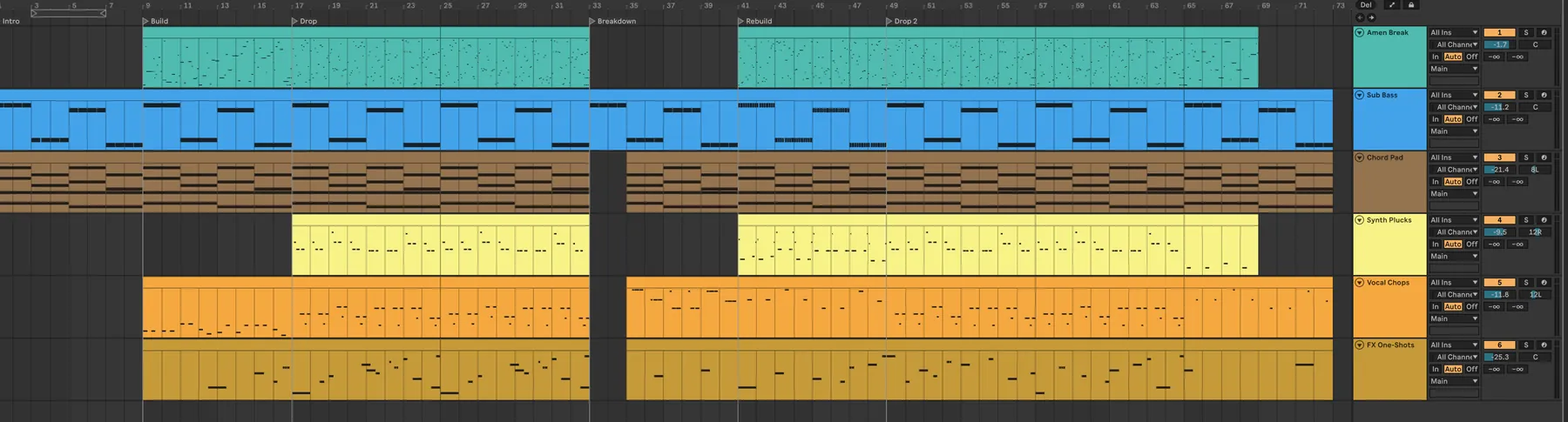
The hardest thing about an empty Live Set is the first sound in it. "Build a drum and bass loop" is enough to get one, and so is a full brief: bright major scale, shimmering plucks, rolling Amen break, warm sub, 174 BPM. Ask for your own material and it finds it: "a one-shot kick from my trap packs," "chop a break." One-shots land in tune, breaks arrive already sliced into a new pattern, and grooves come from your own groove pool.

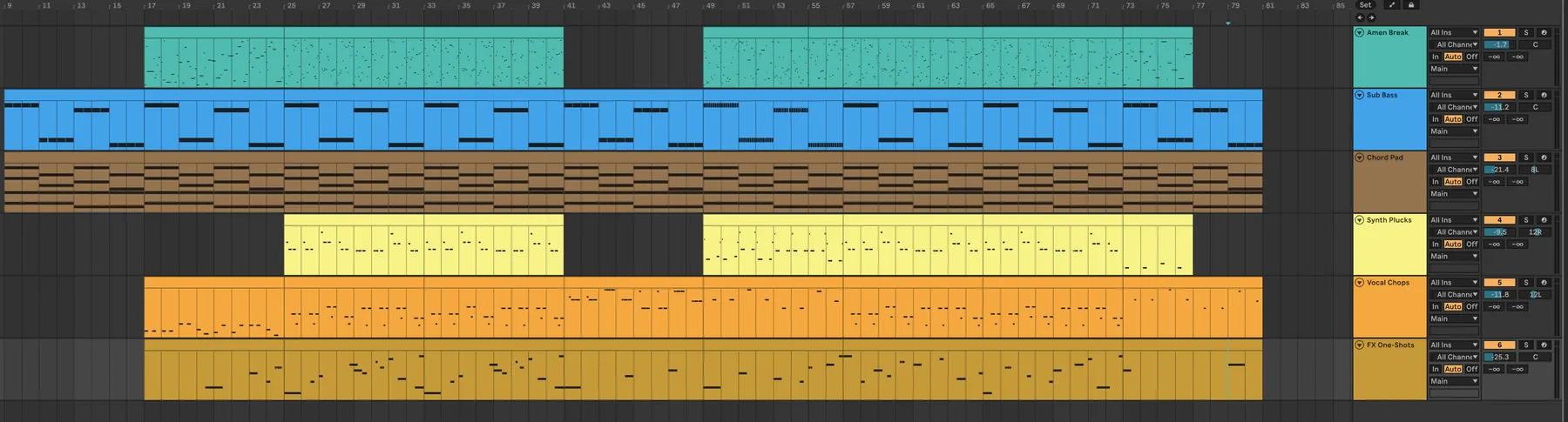
Six Ableton Session view tracks named Amen Break, Sub Bass, Chord Pad, Synth Plucks, Vocal Chops and FX One-Shots, each holding a clip in the first scene

Turn eight bars into a track.

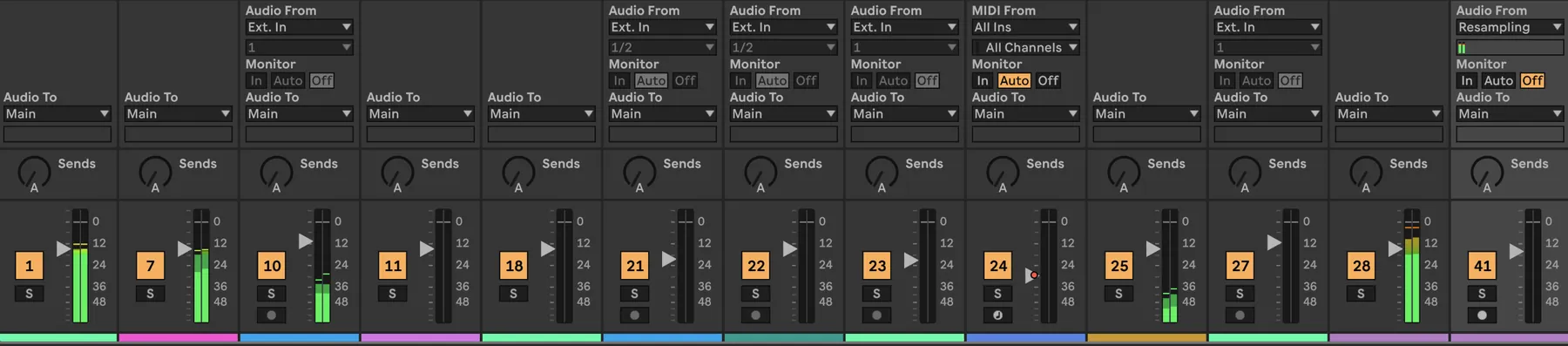
This is the part that eats the day. "Now create an arrangement from all this" is enough, and it lays the whole thing into the Arrangement timeline, clip by clip, pulling across what you already built in Session. Hand it a bar map instead and it follows that: a 16-bar intro, the drop at 41, 88 bars total.

An Ableton Arrangement view with six tracks of clips: Amen Break, Sub Bass, Chord Pad, Synth Plucks, Vocal Chops and FX One-Shots, with parts dropping out around bar 41 and coming back at 49

Make it move.

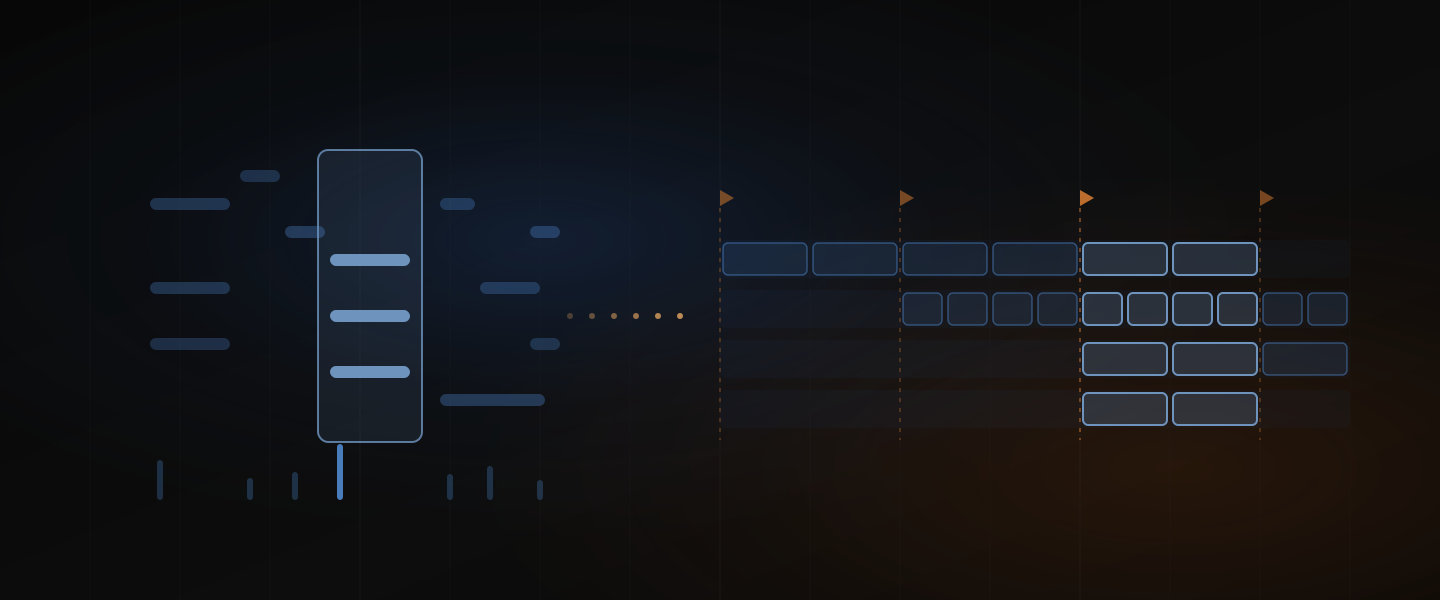
An arrangement of repeated loops isn't a track yet. "Add some fills and short breaks. Add movement, make it interesting." Or name it exactly: hats muted through the breakdown, the filter opening across the last eight bars, the bassline rewritten for the second half. Parts are genre-aware down to the figures they're built from, and chords come in real voicings. Swing sits on the grid the genre uses, and drums land on the pads your kit actually has.

The same Ableton arrangement with locators marking Intro, Build, Drop, Breakdown, Rebuild and Drop 2, and most tracks dropping out through the breakdown before coming back

Mix it without leaving the chat.

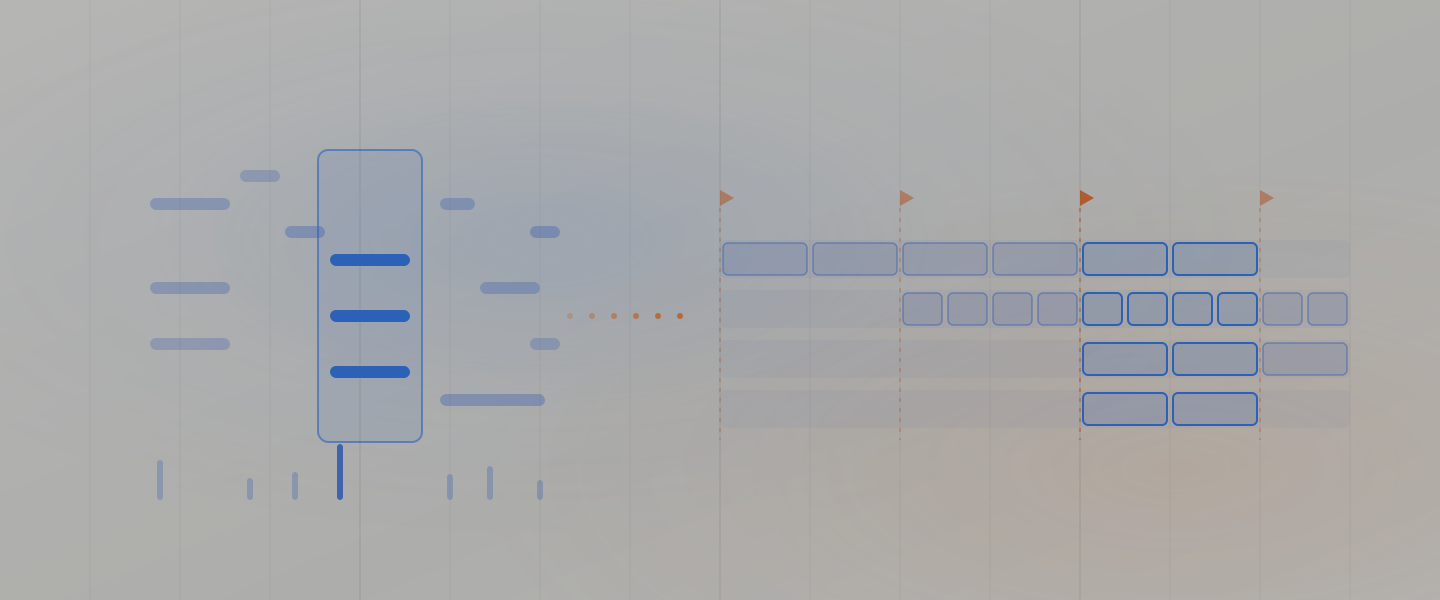
Twelve tracks in, the mixer is where the menu-diving starts. "The mix is too low." "Improve the mix." "Get the sub and the Reese sitting together without mudding out." Dawbrain reads your actual mixer and device settings, sets parameters in real units ("filter cutoff to 400 Hz," "delay to a dotted eighth"), and explains its choices in production terms.

The Ableton mixer with twelve channel strips showing input and output routing, sends, faders and level meters

What it does today.

Start

  • Search your library by key, pack, source and type
  • Find sound-alikes across your library
  • Choose samples by how they sound, not their filename
  • Load one-shots in tune
  • Chop a break into a new pattern
  • Pull grooves from your groove pool
  • Write genre-aware drums, bass, chords and melody

Arrange

  • Write clips into the Arrangement
  • Copy Session clips across
  • Follow a bar map you give it
  • Name every section with locators
  • Build a full track in one request

Refine

  • Add fills and breaks
  • Draw automation envelopes
  • Rewrite part of a clip, not all of it
  • Map drums to your kit's own pads
  • Read your clips and rename tracks based on what's in them

Mix

  • Read levels, devices and routing
  • Set parameters in real units
  • Load and configure devices
  • Talk through sidechain, EQ and compression

What's still rough.

This is a preview, and it's better if you know the edges before you install.

  • Ableton Live 12 only, on macOS and Windows. No Live 11, no other DAWs.
  • Native Live devices, not your plugins. It can find and load a third-party preset, but it can't reach inside Serum or FabFilter to set parameters. Everything it dials in is a Live device. Plugin control is on our roadmap.
  • It can't hear your mix. It knows what's in every clip and how every device is set, and it can measure an individual sample or audio clip by reading the file itself. What it never hears is the summed output, so it won't tell you your low end is fighting.
  • Big requests take minutes, not seconds. A full arrangement is a coffee, not a keystroke.
  • One idea can take several steps. For anything big it asks what you want, shows you the plan, then builds. Each step costs a credit, and you can see every one of them in the chat.
  • It changes week to week. Behavior shifts between releases while we calibrate.

Up and running in three steps.

  1. 01

    Install Dawbrain

    One command on macOS or Windows. No admin rights needed.

  2. 02

    Enable in Ableton

    Open Ableton Live → Settings → Link, Tempo & MIDI → pick Dawbrain as a control surface.

  3. 03

    Chat with your session

    Sign in and start talking to your track.

Start free.

150 credits to start and 20 a month after that, no card, the whole product. When you need more, Starter is $19 a month and Studio is $45, billed at the end of each period.

Recent posts.