Blog · August 8, 2026
Rename every track in a session, from what's actually on it


Every session eventually fills up with Audio 1, Audio 2, MIDI 3. Import a batch of stems, bounce a few groups, come back a week later, and half the track list is anonymous. You end up soloing tracks one at a time just to find the vocal chop.
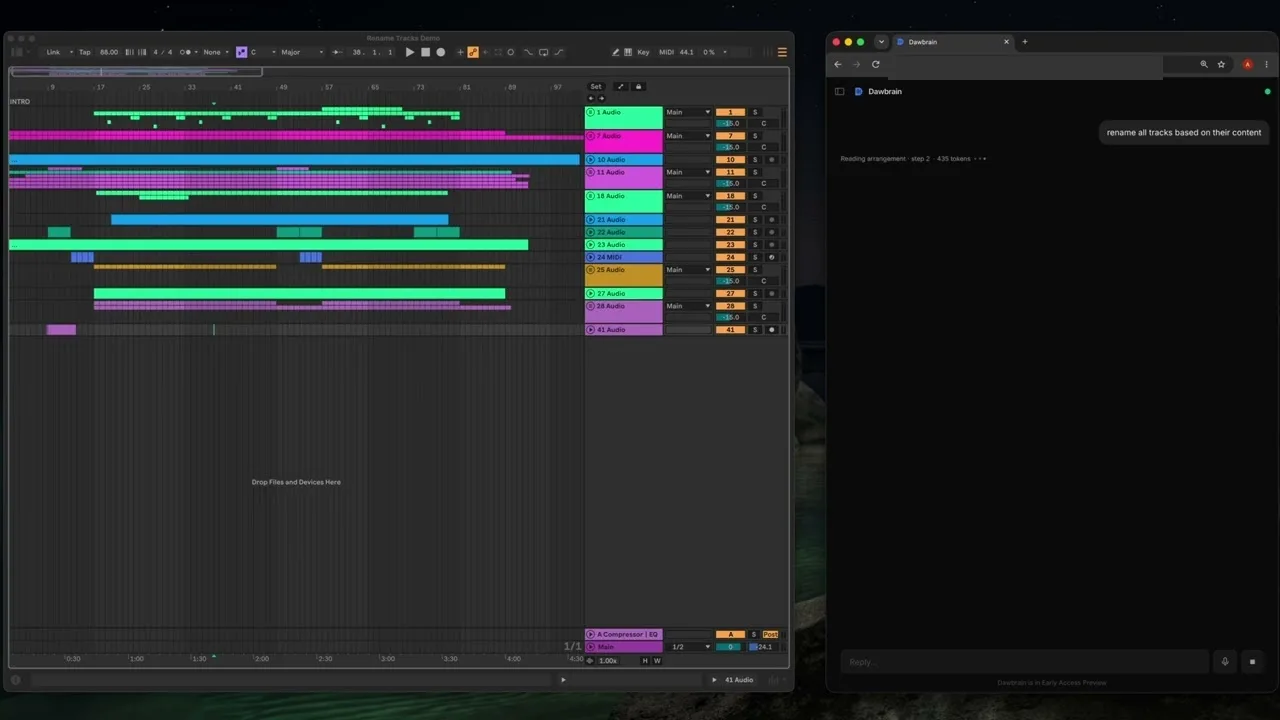
Ask Dawbrain to “rename all tracks based on their content” and it goes through the session the same way it does for any other request: reading clip names, the devices loaded on each track, and how tracks are grouped. Then it writes names back, one confirmed batch of writes, so it’s a single undo if you don’t like the result.
It’s not a dedicated rename button, it’s the same session-reading and write tools behind everything else Dawbrain does, pointed at a request that happens to touch every track at once. That’s also why the results are specific rather than generic:
- A track running Serum with a clip named
3-Serum 1becomesSerum Lead. - A track holding a clip named
DNB_BREAK_170becomesDnB Break. - A MIDI track built around a Simpler patch called
pt_hat_pacerbecomesHi-Hat (Pacer).
A track with no clips and no devices doesn’t get a made-up name. It gets left alone, reported back as unused rather than guessed at, the same honesty Dawbrain applies to a failed kit load or a missing sample.
Here’s the 41-track session going from Audio 1 / MIDI 3 labels to names you could actually mix by, in 46 seconds:
Dawbrain is free to start: 150 credits, no card, no expiry date. Install Dawbrain, try it on your messiest session, and email info@dawbrain.com with what breaks.