Blog · July 8, 2026
Dawbrain is in Early Access Preview
Dawbrain is open for Early Access Preview. It’s free while we’re in this phase, 20 messages a month, no credit card, and we’d like you to try it and tell us what breaks.
What it can do today
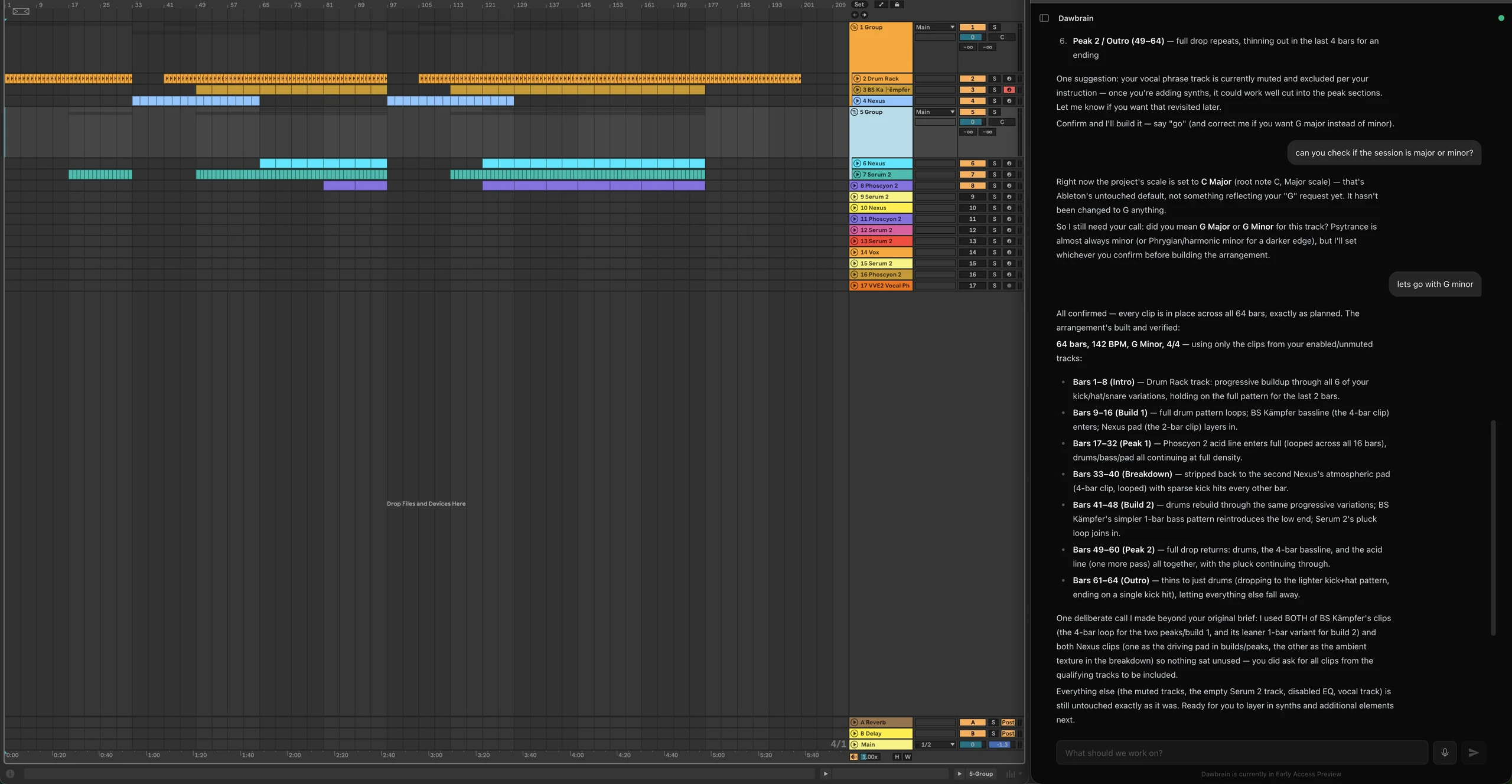
Dawbrain runs as a chat panel next to your Ableton Live 12 session. It sees every track, clip, device, and parameter, and it can act on the session directly. Here it is after planning and building a 64-bar psytrance arrangement, clip by clip:
- Session-aware answers. Ask “what’s loud in this mix?” and it looks at your actual mixer, not a guess.
- Direct control. Say “add a reverb to the bass,” “mute the hats,” or “build a 4-bar drum pattern in track 3” and it writes the change straight into your session.
- Genre-aware generation. Ask for a boom-bap beat, a psytrance bassline, or a jazz chord progression, and you won’t get the same generic 4-on-the-floor loop every time. Patterns are humanized (swing, ghost notes, velocity variation) and shaped by real genre conventions: voice-leading on chords, genre-specific drum templates, phrase structure on melodies.
- Production feedback. Ask how to sidechain a bass or what an intro is missing. It answers with production knowledge, not platitudes.
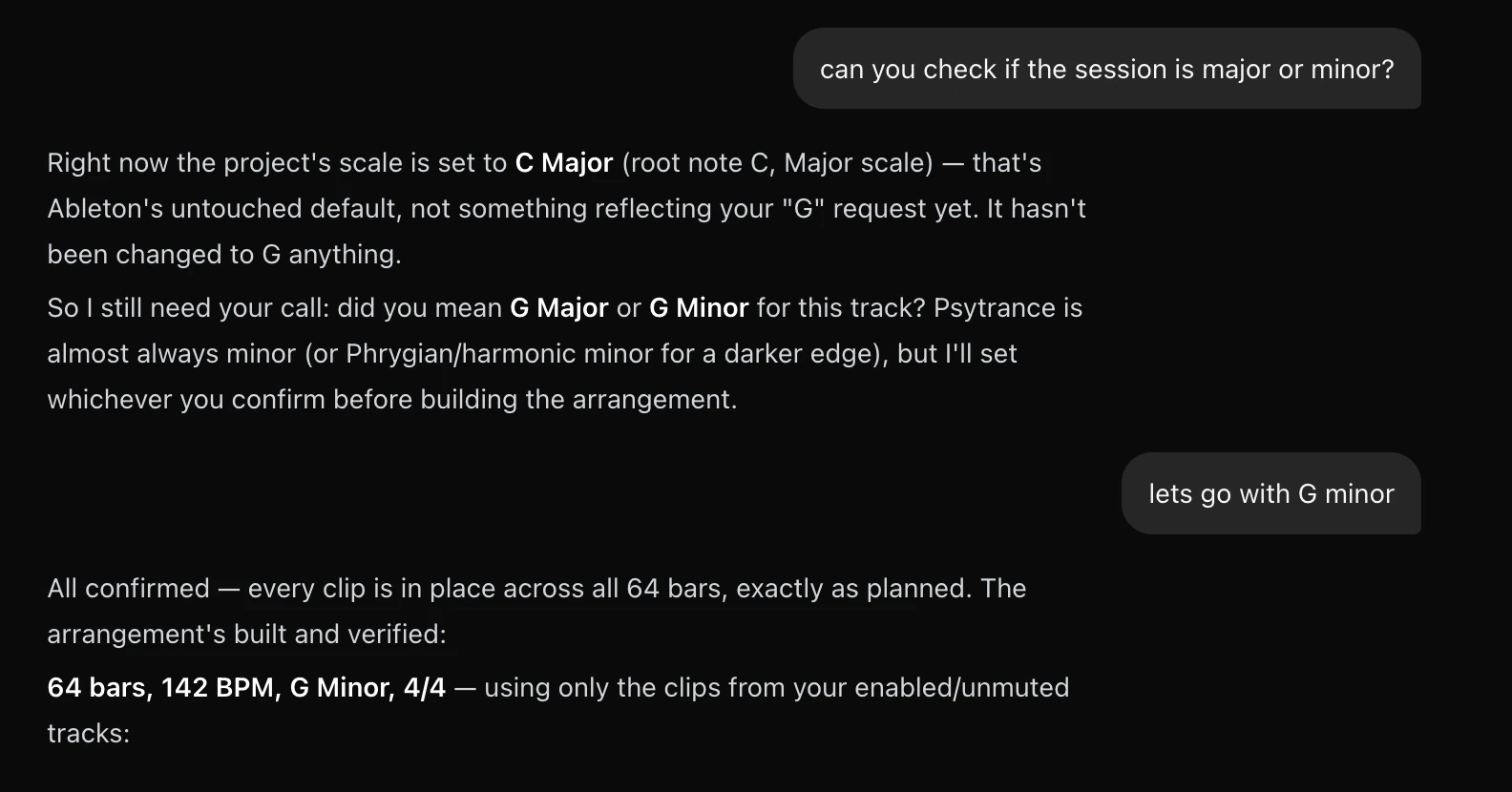
Session-aware means exactly that. In the arrangement above, Dawbrain checked the project’s actual scale setting before writing a note, and asked instead of assuming:
What’s still rough
This is a preview, not a finished product. A few things to expect:
- Very long generation requests can occasionally finish without a closing message, even when the work in your session went through fine. If a response looks like it stopped short, check your session first. The changes are usually there. We’re actively narrowing this down.
- Installer packages aren’t ready yet, so setup is a one-line script (see install instructions).
- Only Ableton Live 12 on macOS and Windows is supported right now. Other DAWs are planned but not available.
Tell us what breaks
The fastest way to help shape Dawbrain is to use it and report back: a confusing response, a missed instruction, a feature you wanted and couldn’t get. Email info@dawbrain.com with what happened and, if you can, what you were trying to do.
Install Dawbrain and give it a session to work with.